
Settlement
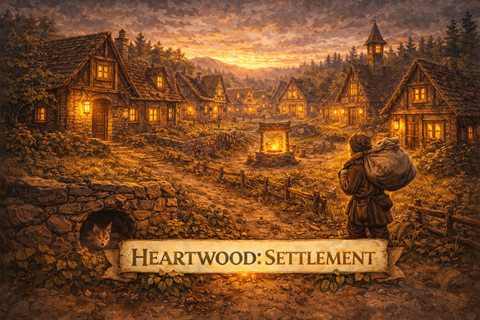
Autonomous NPC villages for Vintage Story. Villages generate during worldgen with walking settlers who have specialized roles, build structures on your behalf, and grow through development tiers. Part of the Heartwood ecosystem platform.
Village Generation
Worldgen Placement
Villages are placed during world generation. A terrain analyzer evaluates flatness, water access, and biome suitability to find viable sites.
- Multiple village types tuned to different biomes and climates
- Minimum distance between villages prevents clustering
- Sites scored by terrain flatness, water proximity, and resource access
Layout & Infrastructure
Each village generates a layout with buildings, connecting roads, and a central plaza. Building pads are graded flat and roads are smoothed between them.
- Scatter-placed buildings with enforced minimum gaps
- Road network connecting all buildings for settler navigation
- Central plaza paved around the village meeting hall
- Vegetation suppression — trees and shrubs don't regrow inside village footprints
Development Tiers
Villages progress through four tiers, unlocking more structures and settlers at each stage.
Homestead → Hamlet → Village → Township
- Higher tiers bring larger populations and more specialized roles
- Structure variety and building options expand with each tier
Settlers
Specialized Roles
Eight settler types, each with unique equipment, outfits, and AI behaviors.
| Role | Activity |
|---|---|
| Farmer | Works the fields |
| Logger | Chops trees, collects wood |
| Fisher | Works the waterfront |
| Cook | Prepares food |
| Blacksmith | Crafts at the forge |
| Builder | Constructs new buildings from work orders |
| Mayor | Village leadership |
| Settler | General villager |
Appearance
Every settler is visually unique. Gender, skin tone, face, hair, clothing, and accessories are all randomized from large pools. Each settler also receives a unique name.
Navigation
Settlers navigate using the village road network. Pathfinding runs in three phases: walk to the nearest road, follow pre-computed road waypoints, then walk to the destination. Settlers flee from hostile creatures when injured.
Construction
Player-Directed Building
Once you earn enough reputation with a village (Friend standing, 55+), you can browse available building schematics and place construction orders. Builders autonomously carry out the work.
- Browse the schematic library for your current village tier
- View material costs before placing an order
- Position buildings within the village boundary
Autonomous Construction
Builders gather materials from the village communal chest and place blocks one at a time with realistic pacing.
- Builders carry 3–8 blocks per trip (randomized for natural pacing)
- Each block placed with a 1.5-second animation delay
- Multi-layer scaffolding for upper floors
- Full ghost preview of the building shown during construction via overlay
- Multiple builders can work on different construction zones simultaneously
Communal Storage
Villages maintain a shared chest for construction materials. Builders pull resources as needed. You can inspect or fill the chest via commands.
Adding Custom Structures
Any mod can contribute schematics to Settlement's building pool without writing any code. Settlement auto-discovers all schematic pairs at startup — just drop the files in the right place.
File Structure
Each structure is a pair of files placed inside your mod's assets, using the settlement domain:
your-mod/
└── assets/
    └── settlement/
        └── config/
            └── schematics/
                └── tier0/           ← or tier1, tier2, tier3
                    ├── my-house.json       ← VS schematic (exported via WorldEdit)
                    └── my-house.meta.json  ← metadata sidecar
Using the settlement asset domain is what registers your schematics — VS merges assets across mods by domain, so no code or registration is needed.
Exporting a Schematic
In-game with a creative/admin account:
- Select your structure with WorldEdit (
/we), then/we export <filename> - The
.jsonfile is saved to your VS data folder — copy it into your mod
The .meta.json File
Create a sidecar file with the same name (replacing .json with .meta.json):
{
  "code": "my-house",
  "displayName": "My House",
  "group": "house",
  "tier": 0,
  "size": "Small",
  "footprint": { "x": 10, "z": 7 },
  "entrance": { "x": 5, "y": 0, "z": 6, "facing": "south" },
  "verticalOffset": 0
}| Field | Description |
|---|---|
code | Unique ID — must match the filename (without .meta.json) |
displayName | Human-readable name shown in-game |
group | Which village slot this fills: house, storage, farm, or center |
tier | Village tier required: 0 (homestead) through 3 (township) |
size | Small, Medium, or Large |
footprint | Actual block dimensions of the build (x = width, z = depth) |
entrance | Block offset to the door from the schematic origin, plus the direction it faces |
verticalOffset | 0 = flush with terrain surface, -1 = one layer buried (good for stone foundations) |
Groups & Tiers
Villages select buildings by group. The default hamlet village type expects:
| Group | Count (hamlet) |
|---|---|
center | 1 |
house | 2–4 |
storage | 1 |
farm | 1–2 |
Tier 0 schematics are available from the homestead stage. Higher tiers unlock as the village grows.
Verifying Your Schematics Loaded
After launching with your mod active, check the log for:
[Settlement] SchematicRegistry loaded N schematicsAt debug level you'll see each one:
[SchematicRegistry] Loaded 'my-house' (group=house, tier=0, cost=12 block types)No code required
Structure packs are pure content — no C# code, no .csproj, no dependencies beyond Settlement itself. A modinfo.json + schematic pairs is all you need.
Reputation & Interaction
Your relationship with each village is tracked through a reputation system. Higher standing unlocks access to construction and the schematic library.
Stranger → Acquaintance → Friend (unlocks building) → Ally
Village Overlay
Toggle a visual overlay that shows the village boundary, building footprints as 3D boxes, and settler navigation paths in real time. Useful for understanding the village layout and watching builders work.
Commands
General
| Command | Description |
|---|---|
/settlement list | List villages within 1000 blocks |
/settlement info | Details about the nearest village |
/settlement stats | Global village statistics |
/settlement overlay | Toggle village boundary and building overlay |
/settlement rep | Check your reputation with the nearest village |
Construction
| Command | Description |
|---|---|
/settlement build <schematic> | Create a construction work order |
/settlement buildcost [code] | Show materials needed for a schematic |
/settlement chest | Inspect communal storage |
Admin
| Command | Description |
|---|---|
/settlement spawn-village | Create a village at your location |
/settlement spawn-settlers | Manually spawn settlers |
/settlement tier [set <0-3>] | Check or set village tier |
/settlement unclaim | Remove land claim for nearest village |
/settlement debug | Show AI state of nearby settlers |
Compatibility
Settlement does not add or replace any existing entities, blocks, or items from other mods. Villages are generated during worldgen and do not affect existing terrain outside their claimed area.
Requirements
Vintage Story 1.22.0 or newer. Requires Heartwood.